Albato: surprisingly easy to start, with one important caveat
Albato made our simplest Gmail → Google Drive test unusually easy to build. We followed the guided Copilot flow, connected Gmail and Drive, clicked through the suggested trigger and action, and the test PDF saved successfully.
We barely used the keyboard. For this specific two-app workflow, Albato reduced the usual “which trigger / action / field do I choose?” friction better than the other tools we tested.
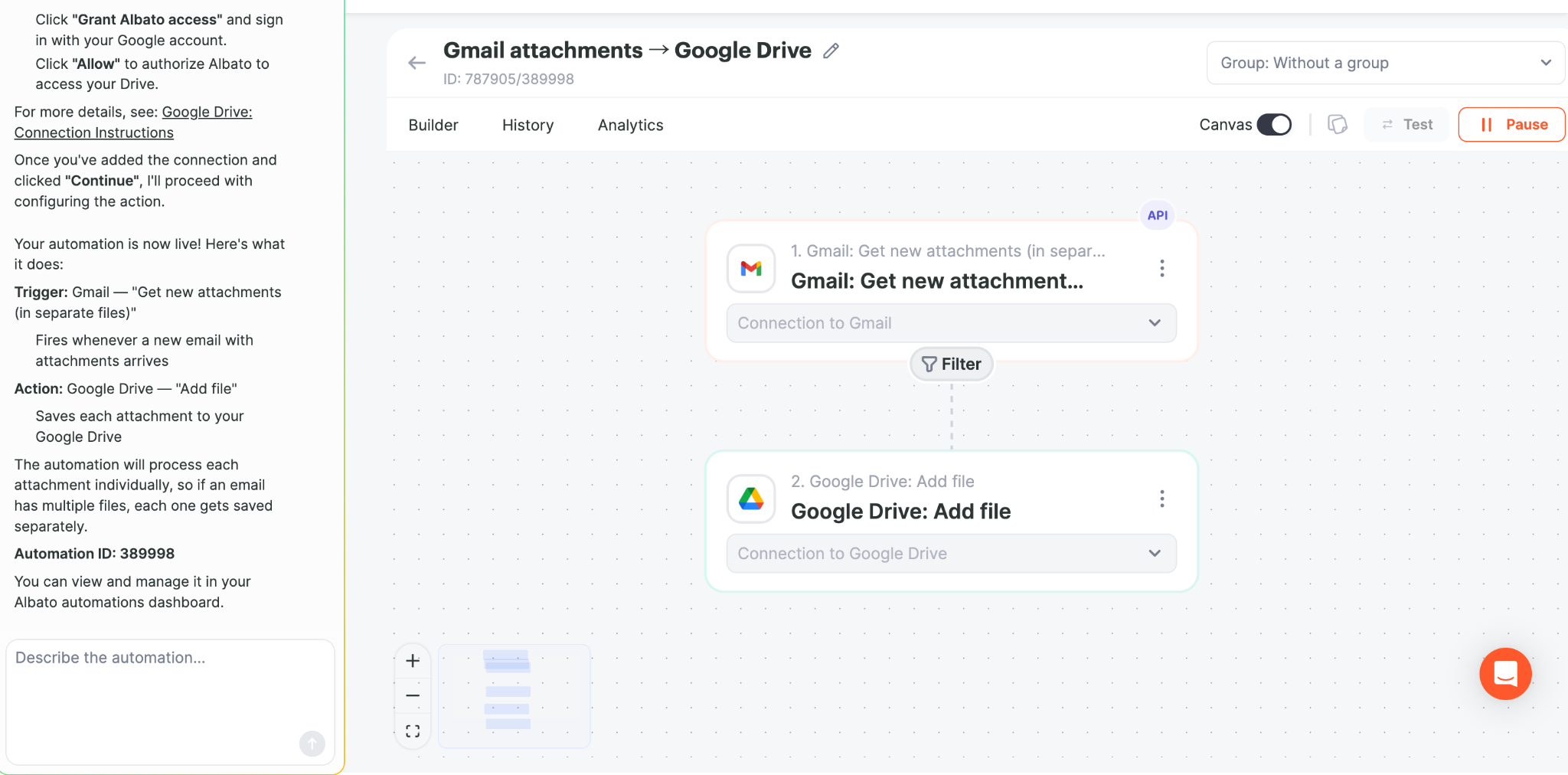
Copilot also helped with troubleshooting
In our PDF-only follow-up test, the first Gmail trigger we selected did not expose the attachment file in the form Google Drive needed. Albato Copilot identified the limitation, suggested the attachment-specific trigger, and then helped us add a PDF filter from a plain-English instruction.
That changed our view slightly: the easy setup was not limited to the happy path. Copilot also made the recovery path clearer when we made the wrong setup choice.
Read the PDF-only hands-on test →
Where Albato fits best
- Beginners who want guided setup rather than a blank workflow canvas.
- People who want to connect common apps quickly without learning expressions first.
- Users who want to test a real automation before spending time mastering a platform.
Where we would still choose Make or n8n
We have tested Make more deeply for routers, filters, conditional branches, and file-renaming workflows, so we would currently choose Make when visual control over a more elaborate scenario is the priority.
We would choose n8n when expressions, binary data, APIs, or self-hosting are central to the job.
Our measured recommendation
Albato is our easiest tested starting point for a straightforward Gmail attachment → Drive automation. That does not mean it is automatically the best platform for every advanced workflow; our Albato test was intentionally simple.
Try the same simple workflow
Albato's affiliate dashboard currently provides referred users a 20% first-payment coupon. Test the free workflow first and only pay if it fits your use case.
Affiliate disclosure: we may earn a recurring commission if you purchase through our Albato link, at no extra cost to you.
Related comparisons
- Albato pricing, Free vs Pro and 20% first-payment discount
- Make vs Albato vs n8n
- Make vs Albato
- Make overview
- n8n overview
Hands-on Albato tutorial: see exactly how we saved Gmail attachments to Google Drive →