Make vs Albato (2026): Which Is Easier for Automation?
Our hands-on result: Albato was noticeably easier to set up for a simple Gmail attachment → Google Drive automation. Make gives you more visible control over the workflow, but Albato's guided Copilot setup required almost no typing.
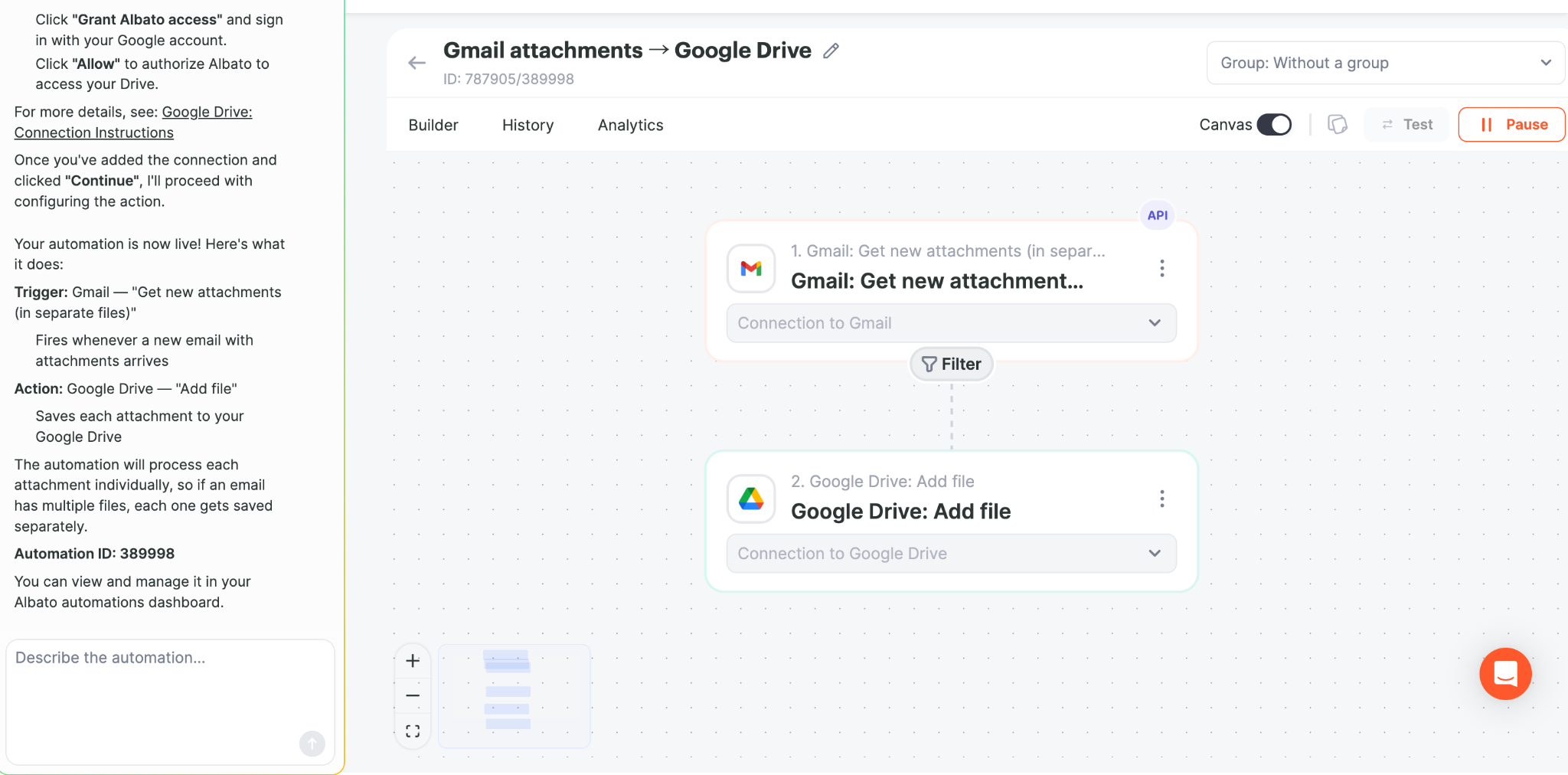
We built and ran the same practical workflow concept in both tools: receive a Gmail attachment and save it to Google Drive. In Albato, the automation successfully saved our test PDF to Drive. This comparison reflects that real setup experience rather than a feature-list-only comparison.
Affiliate disclosure: both signup links are affiliate links. We may earn a commission if you later purchase, at no additional cost to you.
Make vs Albato at a glance
| Area | Albato | Make |
|---|---|---|
| Our setup experience | Extremely easy | Easy after learning the scenario builder |
| Typing required in our test | Almost none | More manual configuration |
| Guided setup | Excellent with Copilot | More builder-driven |
| Visual workflow control | Simple and guided | More explicit and granular |
| Best fit | Beginners who want fast setup | Users who want deeper visual control |
The biggest difference we noticed
Albato's setup felt unusually frictionless. For our Gmail-to-Drive test, we followed the prompts, selected the suggested trigger and action, connected Gmail and Google Drive, and let the guided setup proceed. We barely used the keyboard.
That matters for beginners. With many automation platforms, the difficult part is not understanding the idea of a workflow—it is knowing which trigger, action, field, or mapping option to choose. Albato reduced that decision burden in our test.
Where Albato won in our test
- Very little manual input: the guided flow did most of the setup work.
- Clear next steps: Copilot prompted us to connect Gmail and then Google Drive.
- Fast path to a working automation: after authorization, the workflow went live and successfully saved the attachment.
- Beginner-friendly: we did not need to understand expressions or advanced mapping to get the basic workflow running.
Where Make still has an advantage
Make's scenario builder exposes the workflow structure more directly. That can require more configuration, but it is useful when you want to add filters, routers, renaming logic, multiple branches, or inspect exactly how data moves between modules. We have used Make for those more detailed Gmail automation workflows, including PDF filtering and file-renaming scenarios.
Which should you choose?
| If you... | Choose |
|---|---|
| Want to get a simple automation working with the least friction | Albato |
| Are completely new to workflow automation | Albato is worth testing first |
| Want detailed visual control and branching | Make |
| Expect to build many filters, routers and transformations | Make |
| Want to compare for yourself | Build the same small workflow in both |
Our verdict
Albato surprised us on ease of setup. Of the automation tools we tested for this Gmail-to-Drive use case, its guided setup was one of the simplest experiences. If your priority is getting a straightforward automation running without spending much time learning a visual builder, Albato deserves serious consideration.
Make remains the stronger fit when you specifically want hands-on control over a more elaborate scenario. The right choice therefore depends less on which platform is “better” overall and more on whether you prioritize guided simplicity or workflow control.
Try the workflow yourself
Albato's affiliate dashboard currently provides referred users a 20% first-payment coupon. If you want to reproduce our Gmail → Google Drive test, start with a free account and build one real workflow before choosing a paid plan.
Affiliate disclosure: both signup links are affiliate links. We may earn a commission if you later purchase, at no additional cost to you. Our recommendation is based on our hands-on test.
Related guides
- Albato pricing, Free vs Pro and 20% first-payment discount
- Gmail Attachments → Google Drive with Make
- Make vs Zapier
- Make vs n8n for Gmail Automation
- Best Automation Tool for Gmail Attachments
Also compare all three: Make vs Albato vs n8n →
Hands-on Albato tutorial: see exactly how we saved Gmail attachments to Google Drive →