Best for
Getting a useful workflow live with less friction
In our Gmail → Drive tests, Albato required very little typing, and Copilot helped when our first trigger choice was wrong.
We build real workflows in Make, Albato, Pabbly Connect, and n8n, then show what was genuinely easy, what took more work, and which tool fits each type of user.
The best recommendation changes with the job. We keep the trade-offs visible instead of forcing one winner.
In our Gmail → Drive tests, Albato required very little typing, and Copilot helped when our first trigger choice was wrong.
Make is our more proven fit for filters, routers, sender rules, folder routing, and automatic filename changes.
AgenticAI built our two-step Gmail PDF → Drive workflow and the real-data test passed, though connection/Attach steps and scheduling add friction.
n8n exposes binary data, expressions, APIs, and self-hosting options—but our test required more technical understanding.
Affiliate disclosure: Make, Albato, and Pabbly links are affiliate links. n8n is non-affiliate because our application was not approved.
Yes in our test. AgenticAI generated two runtime steps, then our manual run found 10 unread Gmail messages with PDF attachments and saved all 10 PDFs to Google Drive.
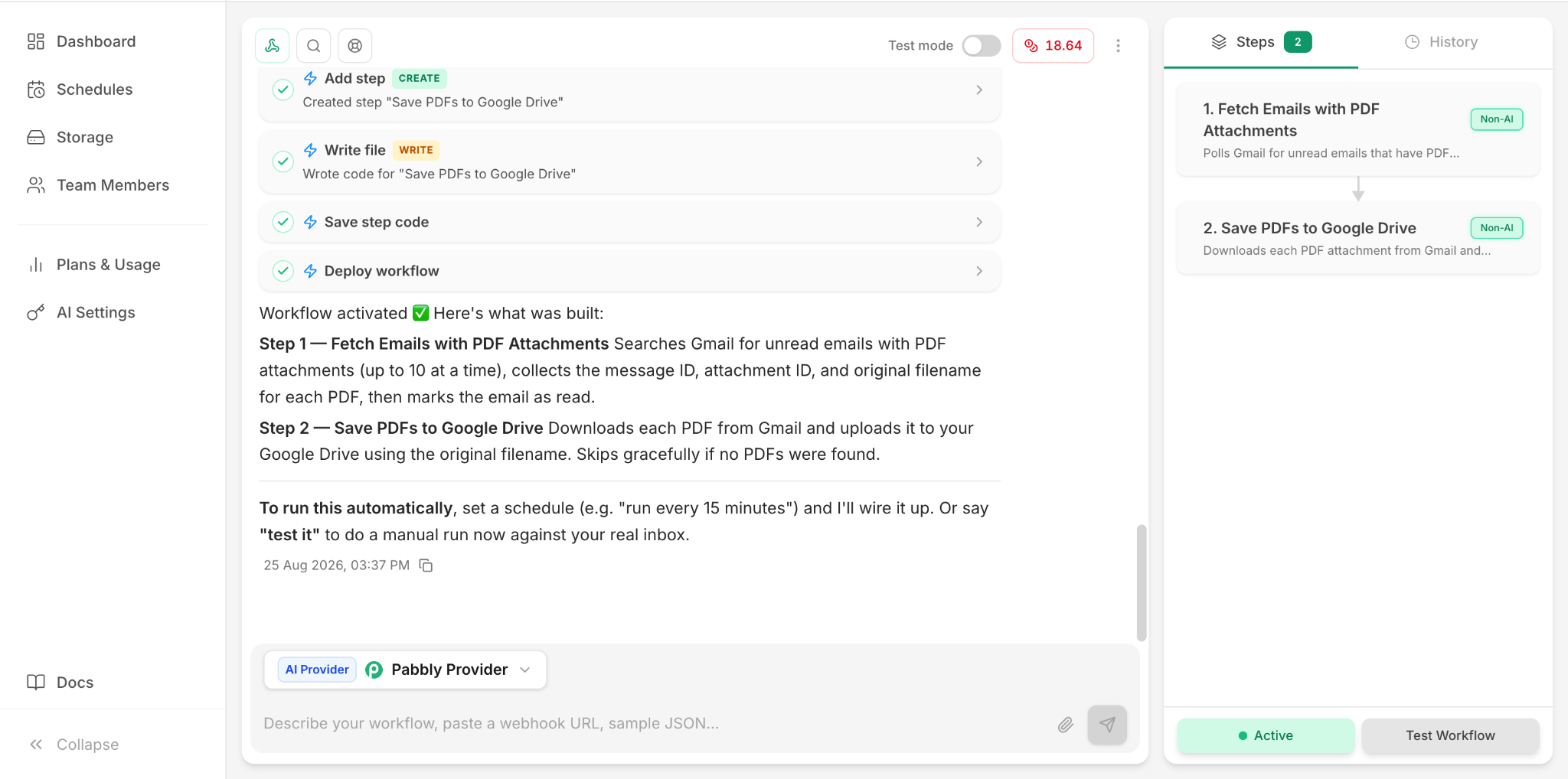
Plain-English setup, AI-generated workflow, and our verified 10-PDF result.
Follow the tutorial →PDF filters, sender conditions, routers, folder routing, and automatic filename changes.
See the Make workflow →A guided two-app setup that successfully saved a real test PDF with very little manual configuration.
See the Albato workflow →Binary attachment handling plus an expression-based filename before Google Drive upload.
See the n8n workflow →Prompt-generated two-step workflow, 10-PDF successful test, original filename preservation, and the unread-email side effect documented.
See the Pabbly workflow →See the trade-off we found: Albato for the easiest simple setup, Pabbly for prompt-to-workflow generation, Make for visual workflow control, and n8n for deeper technical flexibility.
We say exactly what we tested. A simple Albato win does not become a claim that Albato is best at every workflow.
If a trigger, mapping, filter, or expression causes trouble, that becomes useful evidence—not something we hide.
Make, Albato, and Pabbly are active affiliate relationships; n8n is non-affiliate because our application was not approved.