Make vs n8n for Gmail Automation: Which Should You Use?
We did not compare these tools from feature lists alone. We built working Gmail attachment automations in both platforms, tested Google Drive uploads, and used real PDF files to see how each approach feels in practice.
Choose Make if you want a highly visual workflow builder and clear routers/filters. Choose n8n if you want more control, expressions, and an execution-based model with unlimited steps on paid plans.
Make is an affiliate link. n8n is a standard non-affiliate link because our application was not approved.
The workflow we used for the comparison
Our shared test case was intentionally practical: detect an incoming Gmail PDF, manipulate the filename, and save the file to Google Drive. In n8n, the final published test created 2026-08-22_invoice.pdf automatically. In Make, we previously built and tested Gmail attachment workflows with PDF filtering, sender filters, routing, and automatic renaming.
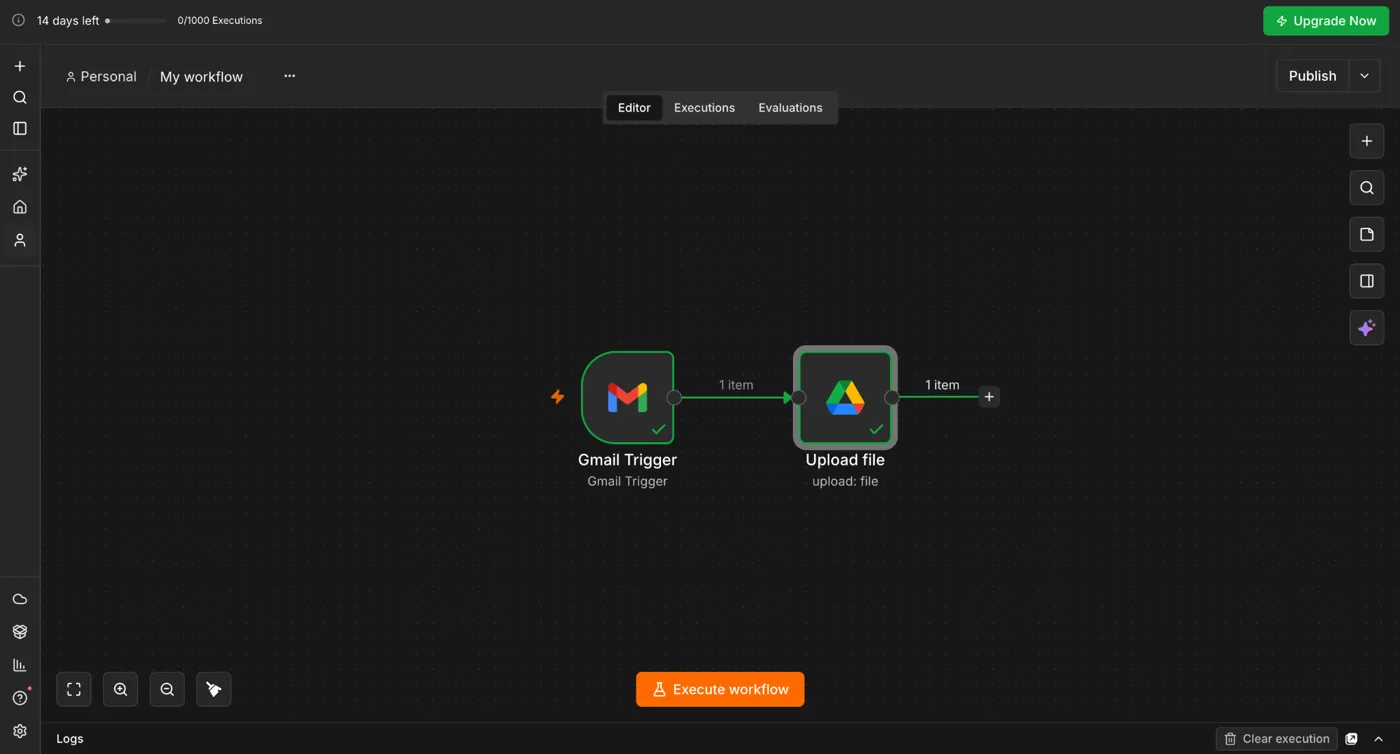
Make vs n8n at a glance
Make advantage. Routers and filters are easy to inspect on the canvas.
n8n advantage. The filename logic lived directly in an expression.
Make advantage. Less exposure to binary fields and JavaScript-style expressions.
n8n advantage. Better fit if you are comfortable with structured data and expressions.
Both let us build and test before committing to a paid plan.
Make is visually explicit; n8n can stay compact but may rely more on node configuration and expressions.
1. Building the Gmail trigger
Make
Our Make workflows used Gmail watch modules followed by filters, routers, and Drive actions. The visual connection between modules makes it easy to explain why a message continues down one branch but not another.
n8n
n8n's Gmail Trigger accepted Gmail search syntax directly. For the PDF test we used:
has:attachment filename:pdf
That was concise, but the attachment itself did not appear as binary data until we turned Simplify off and enabled Download Attachments.
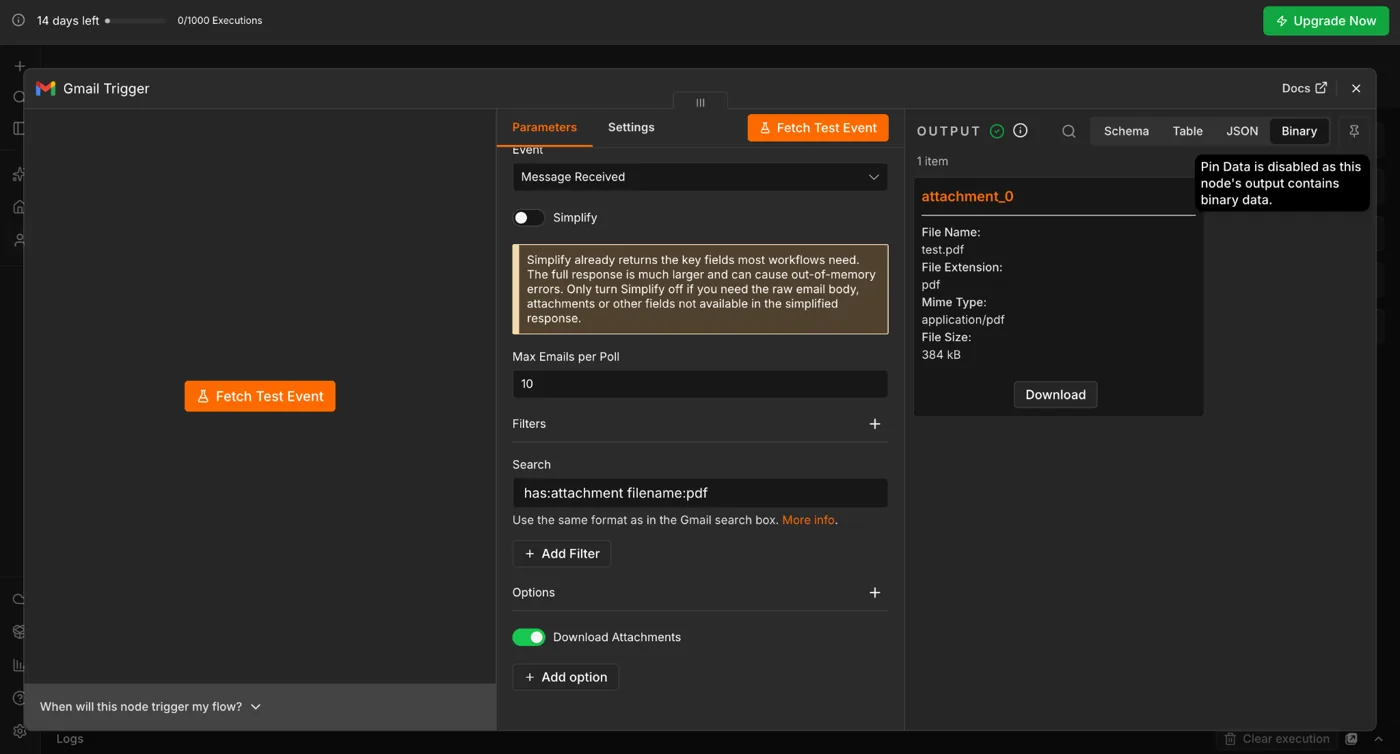
attachment_0.2. Renaming files
Make
Make's mapping UI is friendly when you want to combine date values, prefixes, and the original filename. In our tested workflows we used visual mappings and, where needed, additional modules or routing logic.
n8n
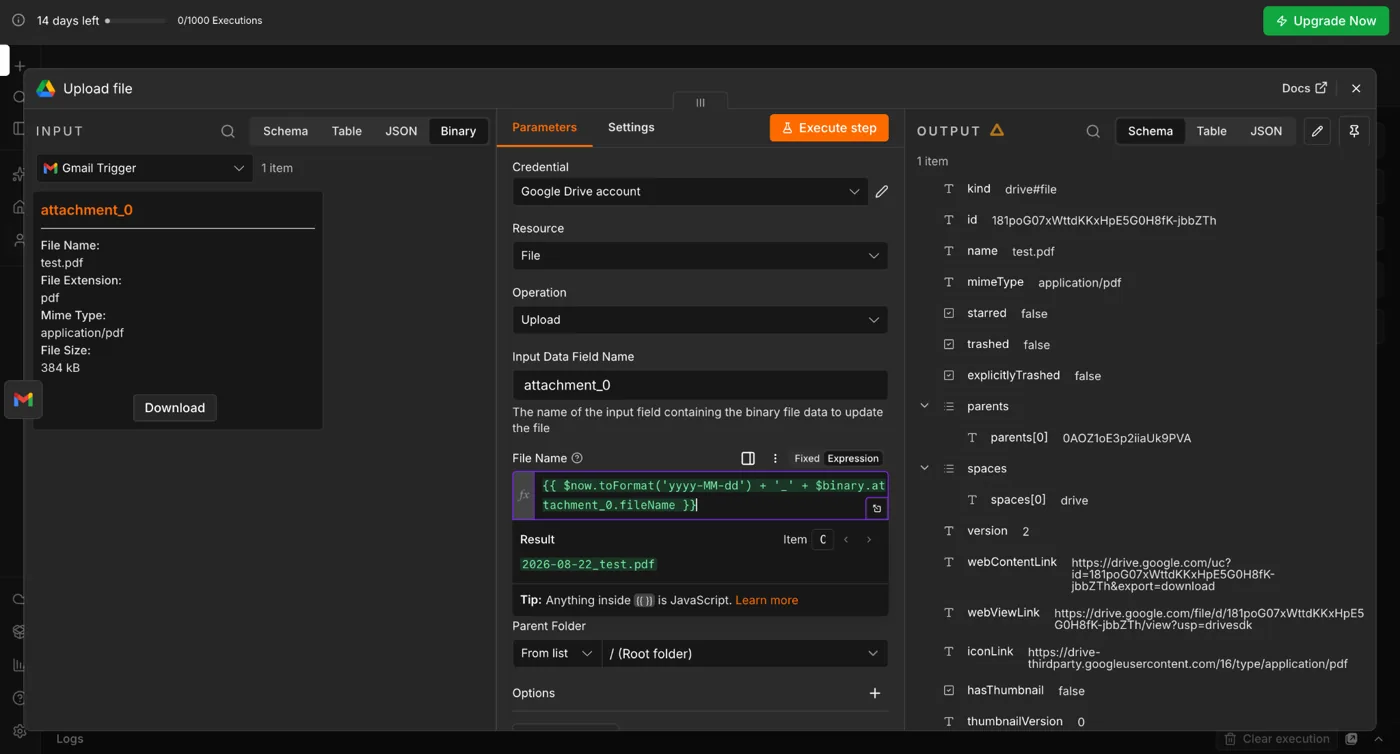
n8n let us generate the final filename directly in the Drive node:
{{ $now.toFormat('yyyy-MM-dd') + '_' + $binary.attachment_0.fileName }}
This returned 2026-08-22_test.pdf immediately in the expression preview.
3. Debugging and failure modes
Both tools can surface upstream API limitations. During our n8n test, Google Drive briefly returned a per-minute quota error. Waiting and retrying once resolved it without changing credentials or mappings.
n8n's Binary / JSON / Schema views are useful when debugging data flow, but they are more technical than Make's visual mapping interface.
4. Pricing model: the conceptual difference
n8n currently says its paid plans are priced by workflow executions, with unlimited steps. Its Starter plan is listed at €20/month when billed annually for 2,500 executions. Make uses its own credit-based usage model, so direct price comparisons depend heavily on how many modules, operations, and runs your workflow needs.
That means a long n8n workflow does not automatically become more expensive merely because it contains more steps, while Make usage can grow as operations accumulate. This is a structural difference, not a guarantee that n8n will always be cheaper.
Sources: n8n pricing and our hands-on Make pricing review.
5. Which one is easier?
For a non-technical beginner, we would start with Make. The workflow logic is easier to see at a glance, and routers/filters feel closer to a flowchart.
For someone comfortable with JSON, binary fields, expressions, or code, n8n is more attractive. The same technical concepts that make n8n feel harder at first are also what make it flexible.
6. Which one would we use for Gmail attachments?
Use Make for a visually maintained business workflow with multiple routing rules. Use n8n when you want a compact, technically expressive workflow and expect to extend it with APIs, code, or more advanced data transformations.
Affiliate and monetization note
Make links on Automation Lab Guide may be affiliate links and are disclosed where used. n8n also operates an official affiliate program that currently advertises 30% commission on n8n Cloud referrals for 12 months. At publication, the n8n links on this article are standard non-affiliate links.
Source: n8n official affiliate program.
Try the workflow style that fits you
Both platforms can handle the core Gmail → Google Drive use case. The difference is how you want to build and maintain it.
The Make link is an affiliate link. The n8n link is currently a standard non-affiliate link.
Bottom line
Make and n8n both passed our real Gmail-to-Drive test. Make is easier to explain visually; n8n gives you more direct control over the data flowing through the workflow. For this reason, the better choice depends more on the person maintaining the automation than on whether either tool can perform the task.