n8n tool guide
Who n8n fits, pricing context, and what stood out in our hands-on test.
Explore n8n →We built this workflow in n8n Cloud from scratch, published it, sent a fresh PDF by email, and verified that Google Drive received the renamed file automatically.
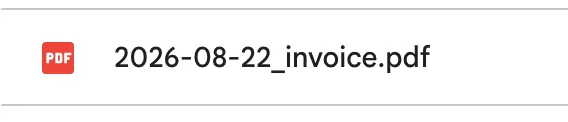
invoice.pdf → 2026-08-22_invoice.pdf in Google Drive, without pressing the manual Execute button.
n8n link status: standard non-affiliate link. Our affiliate application was not approved.
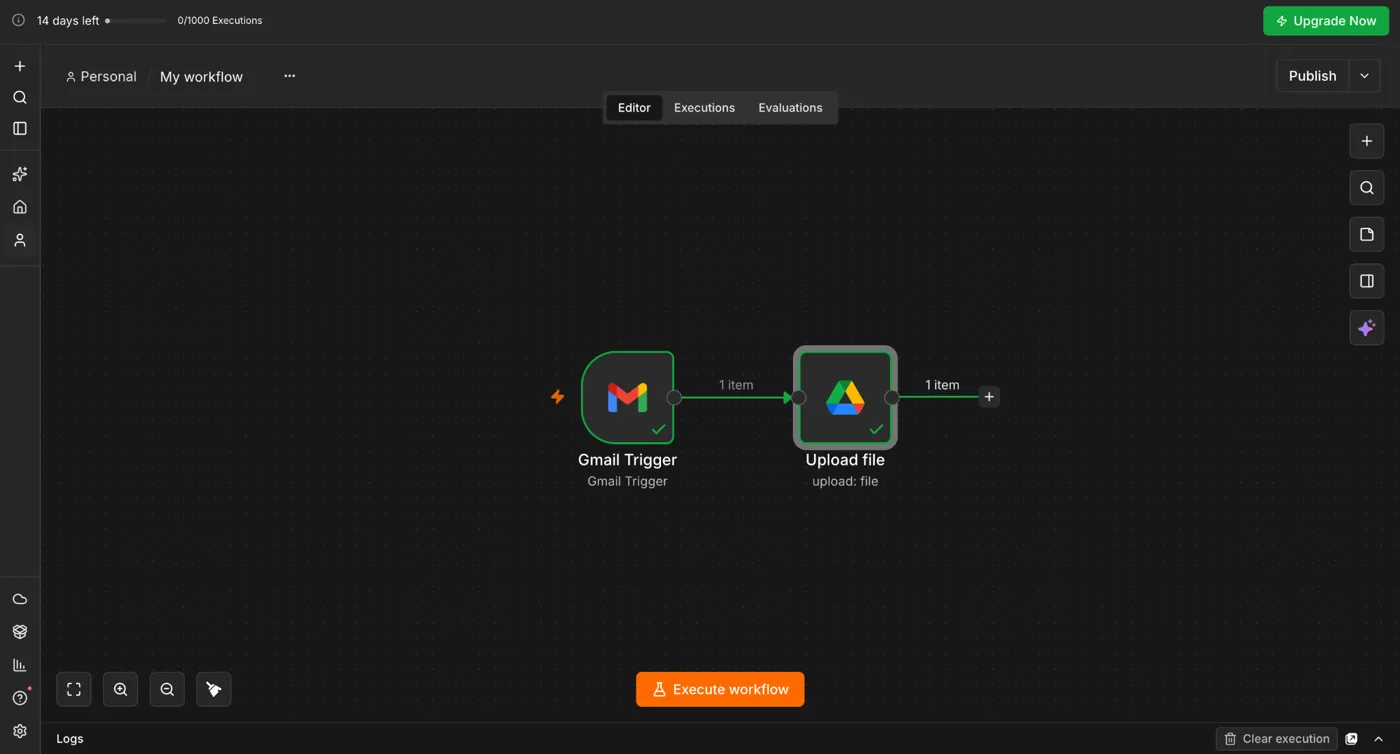
You need an n8n Cloud account, Gmail, and Google Drive. We used the n8n Cloud trial for this test. During our trial, the dashboard showed 14 days remaining and a 1,000-execution allowance.
Use a non-sensitive test PDF while connecting Gmail. Google asks you to approve Gmail permissions for n8n Cloud. Remove the connection later if you no longer need it.
Under Filters → Search, we used the same syntax that works in Gmail search:
has:attachment filename:pdf
This keeps the trigger focused on messages with PDF attachments instead of processing every incoming email.
This was the key setting in our test. With Simplify enabled, the trigger returned the message metadata but not the attachment binary. We turned Simplify off, then added Download Attachments under Options.
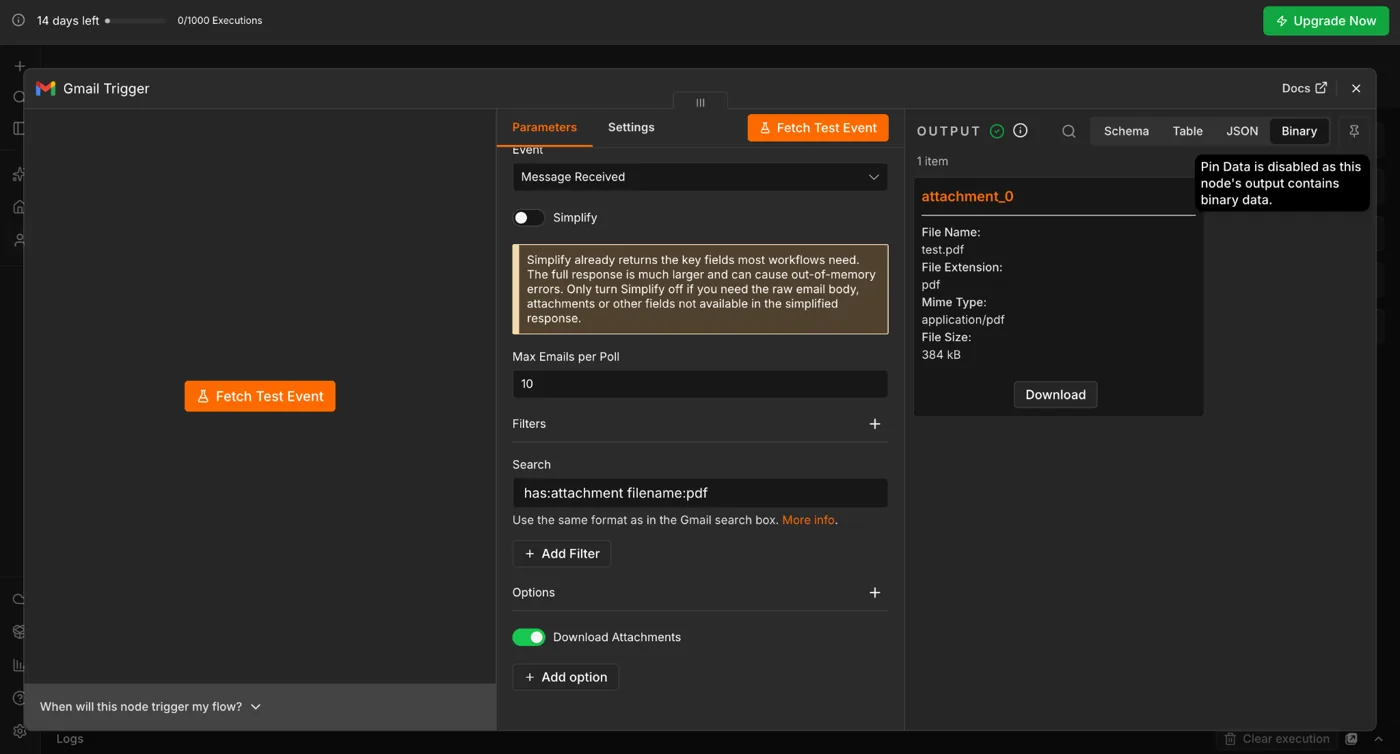
attachment_0 with filename, MIME type, and file size.attachment_0 • test.pdf • application/pdf • about 384 kB.
Add a Google Drive node after Gmail Trigger and choose File → Upload. Connect your Google Drive account.
The critical mapping is Input Data Field Name. Because our Gmail attachment appeared as attachment_0, we entered:
attachment_0
If your binary property has a different name, use the name shown in your Gmail Trigger Binary output.
For the Drive File Name field, switch from Fixed to Expression and use:
{{ $binary.attachment_0.fileName }}
In our test, n8n evaluated that expression to test.pdf.
We then changed the filename expression to:
{{ $now.toFormat('yyyy-MM-dd') + '_' + $binary.attachment_0.fileName }}
The preview immediately returned 2026-08-22_test.pdf.
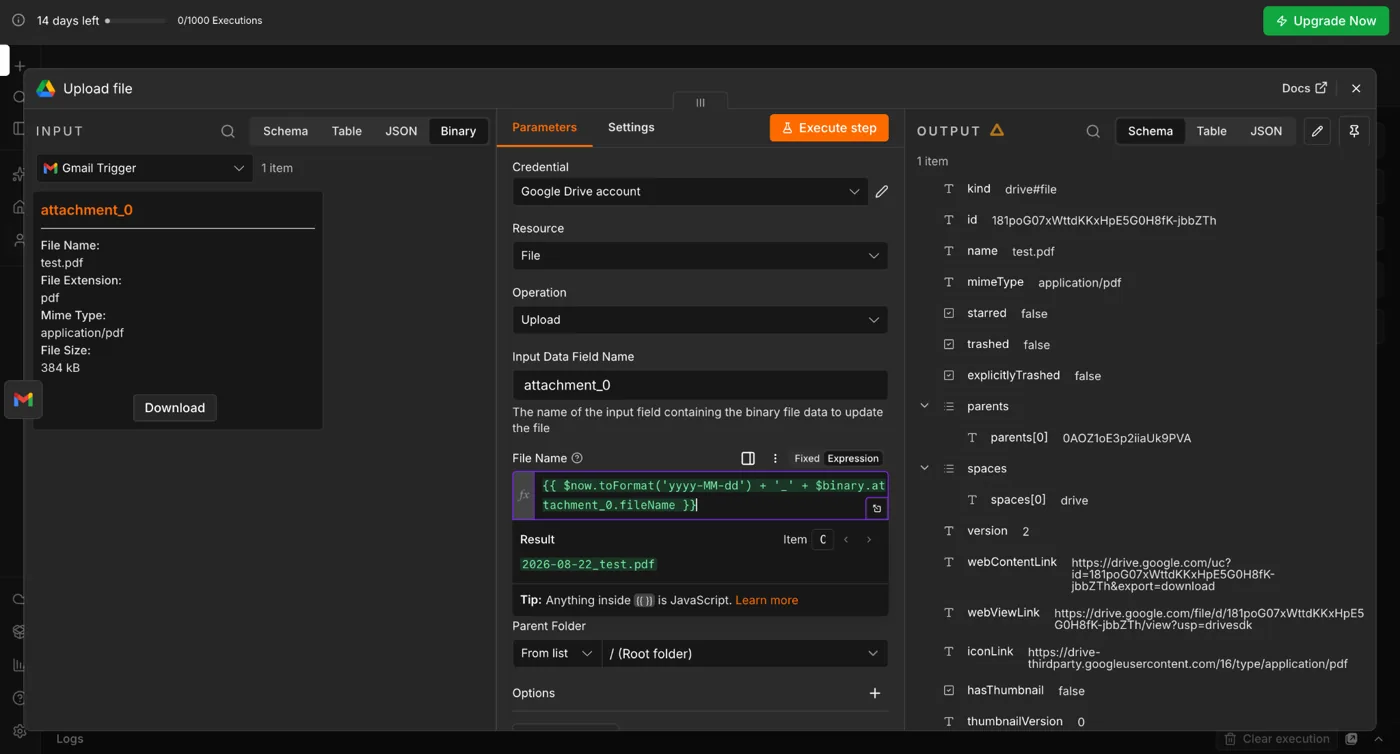
Executing the Drive node returned a Google Drive file ID, MIME type, and view link. The output name was 2026-08-22_test.pdf.
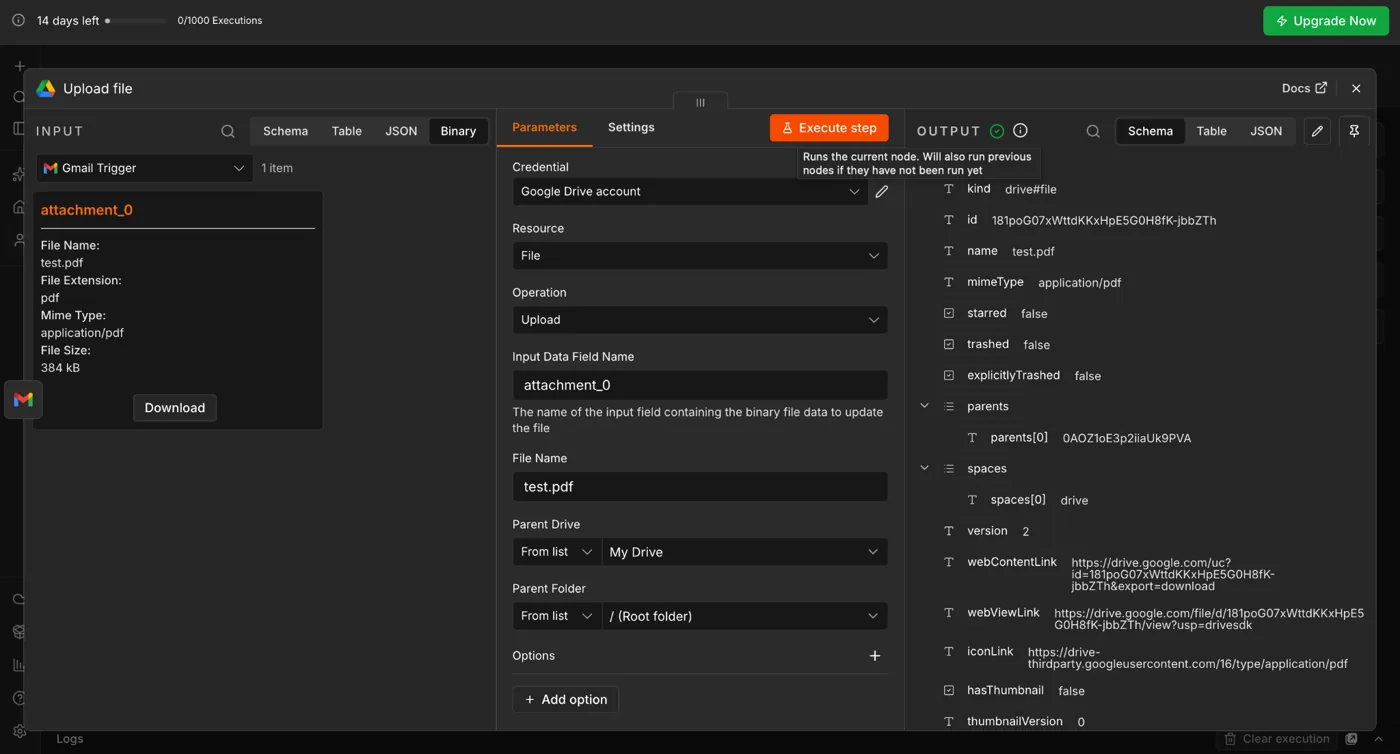
On one test run, Google Drive returned a requests-per-minute quota error. We did not change the workflow. After waiting briefly and retrying once, the same node completed successfully. If you see a quota message, avoid repeatedly clicking Execute.
Manual node tests are not enough for a hands-on automation guide. We published the workflow, sent a new file named invoice.pdf, and waited for the Gmail trigger.
The workflow ran automatically and Google Drive received:
2026-08-22_invoice.pdf
For this specific workflow, n8n let us keep the core flow visually small while putting the filename transformation directly into an expression. That is powerful, but it assumes you are comfortable reading expressions such as $binary.attachment_0.fileName.
Make is more visual when you start adding routers and filters. Zapier is approachable for linear app-to-app workflows, but our tested Zap became more step-heavy when we added date formatting and a Sheets log.
As of August 2026, n8n lists Cloud Starter at €20/month when billed annually, with 2,500 workflow executions and unlimited steps. n8n says paid plans are priced around completed workflow executions rather than charging separately for every step in a workflow.
Source: n8n official pricing. Pricing can change, so verify the current plan before subscribing.
Start with n8n Cloud, reproduce the Gmail → Drive flow, and only move to a paid plan if the execution model fits your workload.
Disclosure: the n8n link on this page is currently a standard non-affiliate link. If that changes, we will update this disclosure.
Who n8n fits, pricing context, and what stood out in our hands-on test.
Explore n8n →See where the same Gmail-to-Drive use case felt different in each platform.
Compare →n8n successfully handled the full path from Gmail PDF detection to a renamed Google Drive file in our live test. The strongest part was flexibility: the date-based rename required only an expression instead of a separate formatting node. The trade-off is that n8n exposes more technical concepts than beginner-first tools.