How to Save Only PDF Gmail Attachments to Google Drive with Make
We added a MIME type filter to our tested Gmail → Google Drive workflow, sent an email containing a PDF and an image, and confirmed that only the PDF was uploaded to Google Drive.
Affiliate disclosure: we may earn a commission if you register through our link and later become a paying customer, at no additional cost to you.
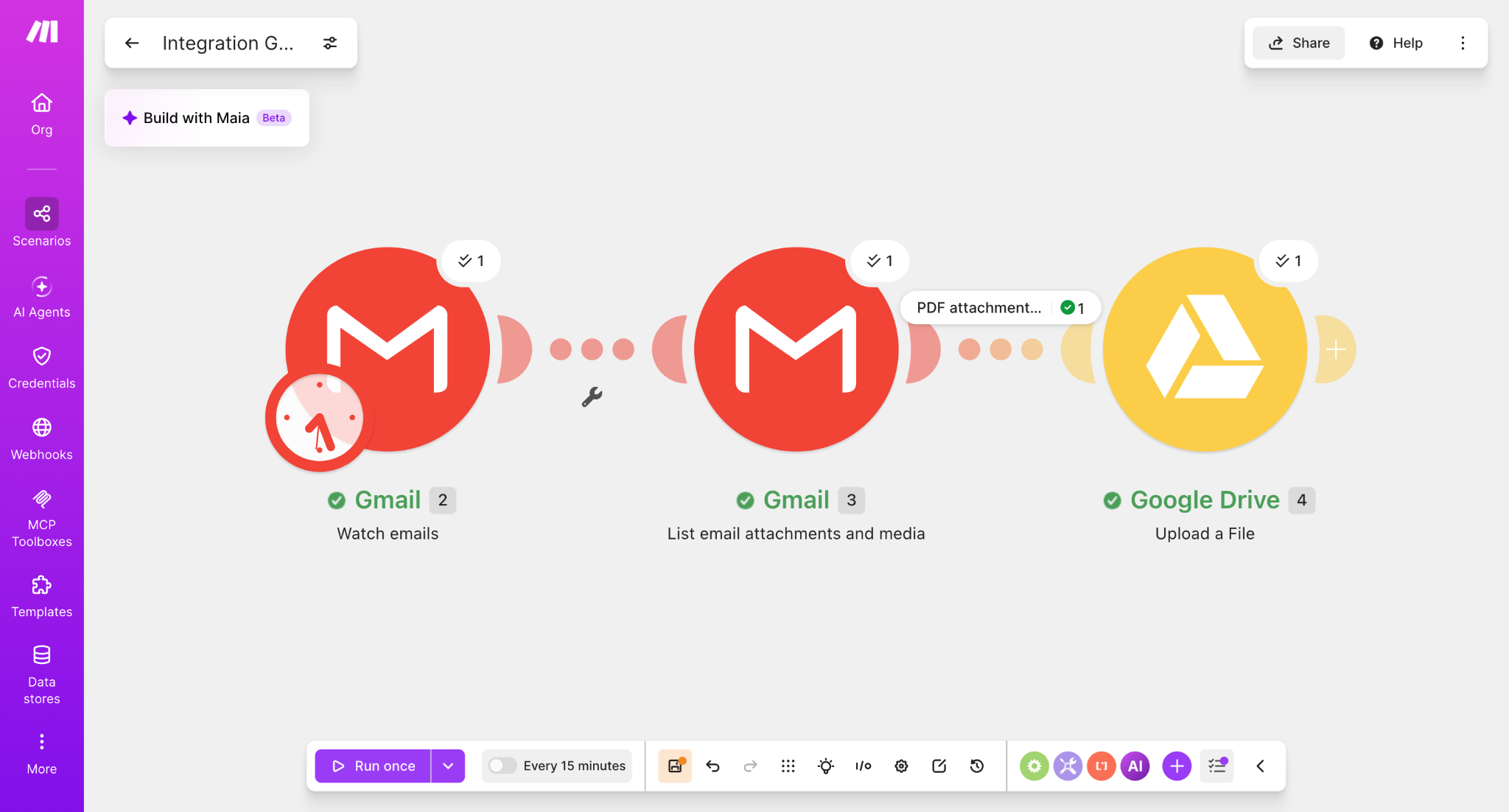
Our test email contained both a PDF and an image attachment. The Gmail attachment module processed the message, the filter allowed one PDF bundle through, and Google Drive uploaded only test.pdf.
Start with the basic Gmail → Google Drive workflow
This guide is an extension of our base workflow. If you have not built the Gmail attachment automation yet, start with How to Automatically Save Gmail Attachments to Google Drive with Make.
Add a filter between Gmail and Google Drive
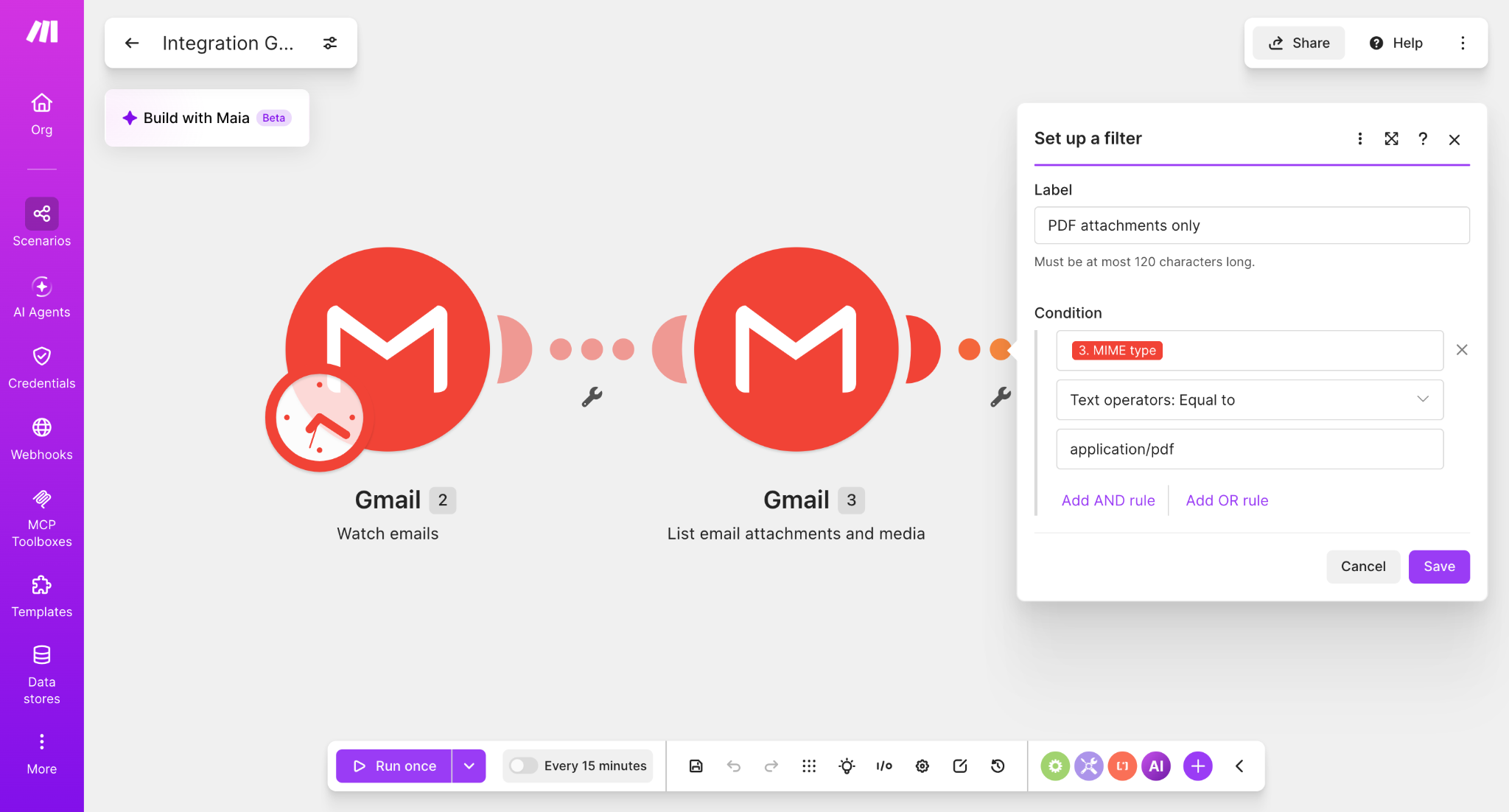
Open the connection between Gmail — List email attachments and media and Google Drive — Upload a File, then choose Set up a filter.
Use these filter settings
PDF attachments only
3. MIME type
Text operators: Equal to
application/pdf
Why filter by MIME type?
The Gmail attachment module exposes a MIME type value for each attachment. Filtering on application/pdf lets the scenario make its decision based on the attachment's reported content type instead of relying only on a filename ending.
Run a real mixed-attachment test
We sent one email containing two different attachment types: a PDF and an image. After the email was already in the inbox, we clicked Run once in Make.
The filter showed one successful bundle passing through to Google Drive, while the non-PDF attachment did not continue to the upload module.
Verified Google Drive result
After the scenario finished, the destination folder contained test.pdf. The image attachment from the same test email was not uploaded by this filtered route.

When this filter is useful
A PDF-only route is useful when your inbox contains mixed attachment types but your Drive folder should contain only documents such as invoices, reports, statements, forms, or exported PDFs.
What this guide does not filter yet
This workflow does not restrict attachments by sender. If you want to save PDFs only when they come from a specific email address, that is a separate condition and a good next step for a more targeted workflow.
We also tested an AND filter that requires both application/pdf and a specific sender email. Read How to Save PDF Gmail Attachments from a Specific Sender to Google Drive with Make.
Build the PDF-only workflow in Make
Start with the free plan, build the Gmail → Drive workflow, then add the MIME type filter exactly as shown above.
Try Make for freeAffiliate link. We may receive a commission if you later become a paying customer. Your price is not increased.
Need to save every attachment rather than PDFs only? Read the complete Gmail attachments → Google Drive setup.